2025-26 Senior Design Online Project Showcase
The Senior Design Capstone offers industry and academic sponsors a chance to collaborate with some of the brightest students on campus. In the 2025-26 academic year, the Senior Design Capstone is proud to be supported by our valued sponsors. Archives page can be found here.

Anchovy
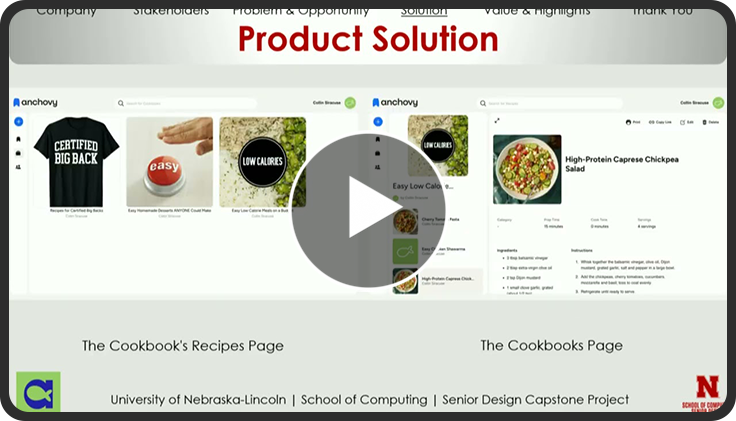
Anchovy is an application that collects recipes from various sources and formats them. The mobile application allows users to save recipes from photos, websites, or even links. Users can support nonprofits and creators by purchasing Anchovy digital cookbooks. It is a convenient way to store and organize many different recipes. It allows the recipes to be in a set format, and the user to be able to access the recipes from anywhere. Now, with the addition of the web application, Anchovy is making their platform more accessible.
The team was tasked with the challenge of translating the existing mobile application to a web application while using the yet-to-be-released UI redesign. They did not have to create backend services or populate it with data. The sponsor provided mock-ups for what the application should look like and how it should function. Additional feedback was given to the team during demo meetings as well. The team did have to code the front end of the application and connect it to the provided back end. There were many obstacles to completing the challenge, but with the help and a lot of communication with the sponsor we were able to overcome them.
Anchovy gave the team several mock-ups to base the web application from. The team chose to use Angular because the mobile application also used it. The hope the team had was that this would reduce issues and increase mobility. The team focused on how the application looked and felt to make it give the best experience for the customer. They did this by having a cohesive color palate across the whole application and by spending a long time on fine tuning responsiveness.
Squad Team Members | |
| Francisco Le | Squad Lead and Development Manager |
| Collin Siracuse | Developer and Product Manager |
| Seth Gonzalez | Developer |
| Bryan Hernandez | Developer |
| Angel Morales | Developer |
| Mercedes Nolda | Developer |
| Teresa Trinh | Developer |
Aulick Industries
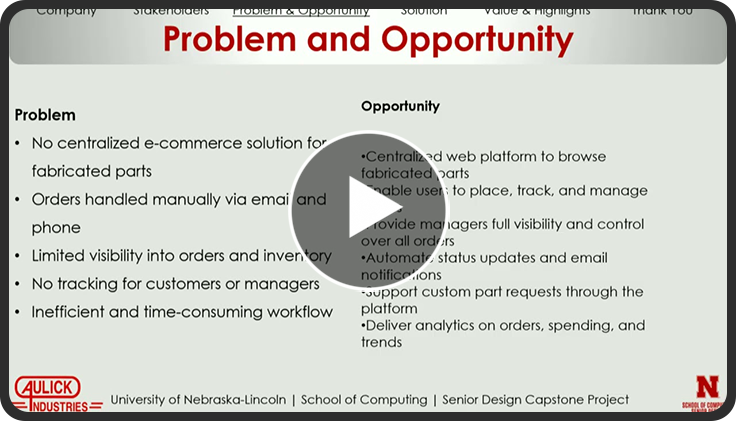
Aulick Industries manufactures agricultural trailers, farm trucks, dump carts, and steel and aluminum boxes for construction and landscaping use. Fabricated parts produced by the Aulick fabrication-shop support these products. Before this project, fabricated part requests arrived through phone calls and email. This process created delays, scattered order information, and limited visibility into order progress for both customers and staff.
The senior design team developed a fabricated parts ordering system within Aulick Industries' internal platform. The system functioned as an ecommerce style store for fabricated fabrication-shop parts and provided a centralized workflow for ordering and request management. Customers browsed a catalog of available fabricated items, viewed product details, placed orders, and submitted custom fabrication requests through a structured form.
The platform included a dashboard which presented order history, item status, and overall order progress. Order information exported as PDF or Excel files for reporting or review. Order quantities and details updated directly through the dashboard or through exported Excel files which supported external edits before reupload. Search and filtering tools improved efficiency when locating orders, products, or customer records.
Manager accounts provided oversight across the entire system. Access included all customer orders, custom fabrication requests, and production status updates. Managers adjusted order quantities, updated item or order status, and reviewed activity across the platform. A system log recorded every order change or update made by any user, which provided a clear record of system activity and order modifications. The platform reduced manual communication and provided Aulick Industries with a structured process for managing fabricated part orders.
Squad Team Members | |
| Emir Ferzan | Multi Team Squad Lead and Product Manager |
| Nathan Ford | Development Manager |
| Shahad Al Elew | Developer |
| Nadim Al-ramahy | Developer |
| Dominic Coleman | Developer |
| Soroosh Farahmand | Developer |
| Nick Goertzen | Developer |
| Marek Kruszczak | Developer |
| Shawn Ludena-Llanos | Developer |
| Zi Dane Yan | Developer |
| Dez Wolken | Developer |

BinMaster
The BinMaster Point Cloud Data Processing and Manipulation project focused on developing a software system capable of transforming raw radar-based scan data into accurate volume estimates and interpretable three-dimensional visualizations of bulk material stored in grain bins and warehouses. While BinMaster provides sensors capable of collecting point-cloud scan data, the company required a processing pipeline that could convert raw scan outputs into meaningful measurements and visualizations. The team’s goal was to create a modular solution that could ingest .xyz scan files, normalize inconsistent datasets, and produce reliable volume calculations.
To address this challenge, the team designed a modular back-end architecture responsible for ingestion, normalization, and volume calculation. Early development explored multiple surface-reconstruction approaches, including Triangulated Irregular Network (TIN) and Alpha Shape methods, alongside a geometric calculation that accounts for material volume beneath the scanned surface. These components were integrated into a command-line testing interface that allowed the sponsor to run datasets, review early volume estimates, and provide structured feedback during development.
As the project progressed, the team refined the architecture to improve reliability and maintainability. Separate surface-reconstruction methods were consolidated into a unified surface-processing engine that reconstructs the material surface from the point cloud and calculates the surface-based volume contribution. This result is combined with a belowmound geometric calculation based on bin parameters such as height, diameter, and cone angles. The unified workflow reduced duplicated logic, improved mesh stability, and achieved approximately 99% accuracy on currently available full-resolution sponsor datasets.
In addition to the back-end processing pipeline, the team began implementing a modular Angular-based front-end designed to visualize bin data and interact with processed results. Initial development included reusable components for dashboard views, bin configuration panels, and early demonstrations of three-dimensional rendering. Together, these efforts produced a modular processing system capable of accurate volume estimation and visualization.
Squad Team Members | |
| Dakoda Oden | Squad Lead and Product Manager |
| Isaak Hopp | Development Manager |
| James Benton | Developer |
| Armon’e Dean | Developer |
| Elijah Nitzel | Developer |
| Noah Whyrick | Developer |
Blue Cross Blue Shield
Bennet is an AI assistant used by Blue Cross Blue Shield of Nebraska (BCBSNE) to help their customer service representatives better answer customers’ questions. BCBSNE developers hope to further expand Bennet’s capabilities in the future, and an important step would be to understand the analytics of the conversations it is currently handling.
At the beginning of the project, Bennet didn’t have the knowledge required to answer analytical questions about itself. However, BCBSNE maintained conversation logs and transcripts in Azure Databricks.
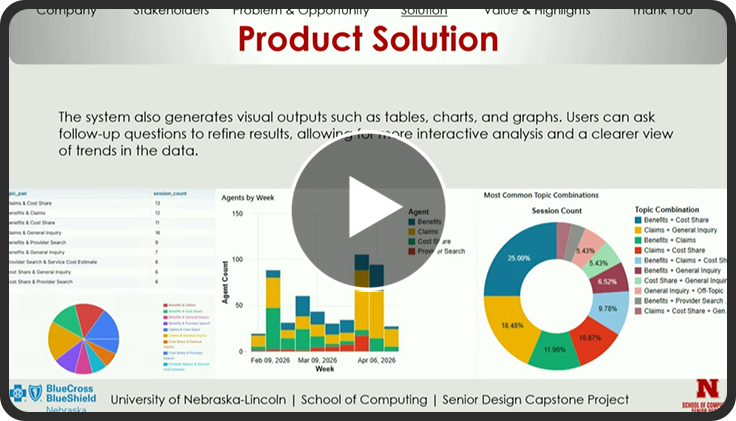
To enable Bennet to analyze this data, we created an Azure Foundry agent using OpenAI GPT-4.1 models and integrated it into Bennet’s existing architecture. When Bennet receives an analytical question, the agent interprets the prompt and sends it to an Azure Databricks workspace, where Databricks Genie takes the prompt and queries the Azure SQL table. Bennet can generate readable charts, interactive graphs, and thoughtful responses using the returned data.
With easily accessible and interactive insights into Bennet’s conversations, BCBSNE can use its chatbot to help identify trends and evaluate the user experience. This information will be very beneficial to their efforts as they continue to expand and grow Bennet’s capabilities in the future.
Squad Team Members | |
| Evan Sipple | Squad Lead and Product Manager |
| Ethan Yehl | Development Manager |
| Sean Grafton | Developer |
| Justin Nguyen | Developer |
| Zainab Ridha | Developer |
| Seth Stowell | Developer |

CLAAS
This senior design project with CLAAS focused on improving the process used to verify that bolts on agricultural equipment had been properly torqued. At the CLAAS assembly facility, technicians manually applied paint marks to bolts after tightening them to the correct torque specification. This process introduced the potential for human error, including missed bolts or incorrect markings. The goal of the project was to develop an add-on device for pneumatic torque tools that automatically detected when the proper torque had been reached and applied for a paint witness mark. By automating this step, the system was intended to improve consistency and reliability in the assembly process while reducing the need for manual marking.
Early efforts focused on strengthening torque detection through the integration of multiple sensors and a smaller computer board, including a hall-effect sensor to measure anvil RPM and an accelerometer to monitor clutch vibrations from the torque tool. These sensors were connected to an Arduino Nano, which processed the sensor data and determined when a torque event occurred. Initial development involved collecting operational data from the torque device, validating sensor readings, and developing an algorithm capable of detecting a true torque stop while ignoring events such as pulsing or reversing that had previously caused false triggers.
In parallel with the sensing system, the team redesigned the paint delivery hardware responsible for producing the witness mark. Improvements included redesigning the paint reservoir to better manage size and flow, researching compatible paints and sealing materials, and integrating a pump and nozzle capable of producing a small, controlled spray. The electronics and fluid components were packaged into a compact enclosure to organize the system and protect the hardware from harsh conditions typical of an industrial environment. Once a valid torque event was detected, the Arduino transmitted a control signal through a relay board to activate the pump and nozzle, ensuring the mark was applied only at the correct time. The pump then primed the system in preparation for the next torque event.
The integrated device operated on battery power, detected torque completion using combined sensor data, and reliably triggered the spray mechanism. The final prototype demonstrated a practical approach for automating bolt witness marking in a manufacturing environment and represented a significant improvement over previous designs.
Squad Team Members | |
| Caleb Poggemeyer | Squad Lead and Development Manager |
| Drew DeBauche | Product Manager |
| Boston Henry | Developer |
| Bryce Kovarik | Developer |
| El Hadji Mamadou Sow | Developer |
| Matthew Schlatter | Developer |

DMSi
Field log scaling is a process commonly performed in environments where internet connectivity is limited or unavailable, making traditional digital tools difficult to use reliably. Workers often rely on manual data entry, which can slow down workflows and increase the likelihood of errors when recording log details such as tree diameter, length, and species. The challenge addressed by this project was to explore how voice-driven data entry could improve efficiency and usability for field workers while still functioning in offline environments.
To address this challenge, we developed a prototype mobile application that integrates offline-capable speech recognition with a structured logging interface. Built using React Native and Expo, the system allows users to record log information through voice input while the application processes and stores data locally on the device. This approach enables hands-free interaction and ensures that the system remains functional even in remote locations without network connectivity. The prototype was designed with modular components to support future integration into DMSi’s existing systems.
Throughout development, we evaluated multiple AI speech recognition solutions to determine the most reliable approach for offline voice entry. Tools such as Vosk and Android OS Speech were tested and compared to analyze transcription accuracy, responsiveness, and overall performance under different conditions. Structured testing sessions were conducted using multiple devices and noise environments, with results tracked to better understand how each model performed in real-world scenarios.
By the end of the project, we produced a functional prototype capable of capturing log entries through voice input and storing them locally for later review. The system demonstrates the feasibility of integrating offline AI voice technology into log scaling workflows while improving speed and usability for field users. The work completed during this project provides a foundation for future development, including refining AI accuracy, expanding device compatibility, and integrating the solution into DMSi’s production environment.
Squad Team Members | |
| Mohammed Al-Sammak | Squad Lead and Product Manager |
| Tony Nguyen | Development Manager |
| Huy Bui | Developer |
| Tyler Kroeger | Developer |
| Jakobi Washington | Developer |
| Garrett Wilcoxen | Developer |

DPA Auctions
Asset Manager's initial stage successfully delivered a centralized, real-time view of asset values, debt, and ROI for stakeholders in the agricultural and heavy equipment sectors. However, to maintain competitive differentiation and increase user engagement, DPA Auctions recognized the need to push the platform further. The primary challenge was to transition Asset Manager from a purely descriptive ledger into a predictive, decisionmaking platform that could assist users in navigating the multifaceted financial and tax consequences of equipment turnover.
To address this challenge, the senior design team developed the Scenario Studio, a robust liquidation and replacement planning engine. This comprehensive web application allows users to seamlessly select current assets for liquidation, simulate expected sale prices, and accurately model the cascading financial impacts. At the core of this upgrade is a deterministic tax calculation engine that automatically computes critical tax metrics, including basis allocations, Section 1245 ordinary recapture, and Section 1231 gains, ultimately providing users with an accurate projection of their after-tax proceeds.
Furthermore, the system empowers owners to strategically plan asset replacements by modeling various tax advantages, such as Bonus Depreciation, Section 179 expensing, and MACRS methods. Users can instantly visualize net cash alterations, tax deltas, and the resulting impact on their Loan-to-Value (LTV) and Debt-Service Coverage Ratios (DSCR). To bridge the gap between platform modeling and real-world execution, the team implemented a document service that generates detailed, exportable PDF audit packs designed specifically for review by CPAs and lending partners.
Utilizing React and TypeScript on the frontend paired with a robust Python backend service layer and PostgreSQL database, the team ensured secure data isolation, high availability, and rapid calculation performance for complex portfolios, ultimately delivering a seamless, enterprise-grade experience.
Squad Team Members | |
| Vatsal Pandya | Squad Lead and Product Manager |
| Joseph Holy | Development Manager |
| Jose Chacon Urias | Developer |
| Thang Do | Developer |
| Winston Hou | Developer |
| Nick Pham | Developer |
Penacle
College students face increasing challenges balancing coursework, extracurricular activities, and personal responsibilities. Traditional task management tools often fail to address the unique needs of academic life, where assignments have varying deadlines, courses require different study strategies, and maintaining consistent study habits is crucial for success. The Penacle team set out to create a comprehensive solution that would help students not just track their tasks, but actively improve their academic performance.
The team developed Penacle, a cross-platform mobile application built with Flutter that combines intelligent task management with proven study techniques. The application features an assignment heat map that visualizes workload distribution across days and weeks, helping students identify busy periods before they become overwhelming. Users can filter tasks by due date ranges and organize assignments by class, providing flexibility in how they view and prioritize their work.
Beyond basic task tracking, Penacle incorporates study tools grounded in learning science. The built-in focus timer helps students implement the Pomodoro technique or custom study sessions, while the spaced repetition system enables effective memorization of key concepts. A voice-to-text feature allows students to quickly capture notes and ideas without interrupting their workflow. The stats dashboard tracks study hours, focus streaks, and assignment completion patterns, giving students insights into their productivity habits.
The result is a polished, user-friendly application that addresses the full spectrum of academic productivity needs. With features like push notifications for upcoming assignments, weekly progress summaries, and customizable reminder settings, Penacle provides students with a complete toolkit for academic success. The application runs on iOS, Android, and web platforms, ensuring accessibility across all student devices.
| Squad Team Members | |
| Ben Blankenbiller | Developer |
| Dylan Kramer | Developer |
| Will McCann | Developer |
| Minh Ninh | Developer |
| Vincent Trinh | Developer |
Farm Credit Services of America
Farm Credit Services of America handled a large volume of loan documents that required electronic signatures, but the process for preparing and sending those documents was spread across multiple systems. Users had to manually gather recipient information, locate documents, and switch between internal platforms and DocuSign to complete a single request. This made the workflow time-consuming and increased the likelihood of errors, especially for repetitive or high-volume tasks.
The Senior Design team developed a prototype web application to simplify and centralize this process. The solution included an Angular application with a C#/.NET backend that allowed users to search loan originations, automatically populate mocked customer data, select documents, and create envelopes for signature. The application securely integrated with the DocuSign sandbox API, demonstrating how the organization could reduce manual steps and streamline envelope creation through direct API communication.
Throughout the project, the team followed agile development practices using Azure DevOps for task tracking and source control. CI/CD pipelines were implemented to support structured releases, and environment parameterization was added so the application could automatically switch between local development and sandbox environments. These improvements strengthened testing, deployment consistency, and overall maintainability.
By the end of the project, our Senior Design team delivered a functional prototype that demonstrated a more efficient and user-friendly approach to managing electronic signatures. The solution reduced workflow complexity, improved data consistency, and provided a clear foundation for future integration with internal enterprise systems.
Squad Team Members | |
| David Khuu | Squad Lead and Product Manager |
| Will Hoellen | Development Manager |
| Eric Haupt | Developer |
| Harrison Johs | Developer |
| Khader Khoudeda | Developer |
| Dawood Murad | Developer |
| Eldin Salja | Developer |

FNBO
FNBO Foundations was designed as a mobile application to improve financial literacy for children, teens, and young adults. The platform included features that gamify the learning process through age-appropriate educational modules. By tailoring the experience to different age groups, the application presented financial concepts in ways that were engaging, understandable, and interactive. These features allowed users to learn important financial topics through repetition and varied learning styles without feeling overwhelmed or losing interest.
The system was developed using a React-based frontend supported by a Java Spring Boot backend. This architecture allowed the team to create a modular and flexible prototype capable of demonstrating the educational platform and its core features. The design supported future scalability and expansion while maintaining a clear and maintainable structure for additional modules and improvements.
Throughout the development process, the team encountered and overcame several challenges that could have slowed progress. One of the largest challenges during the early stages was establishing the overall design and user experience of the application. Through continuous iteration, testing, and feedback, the team refined the interface and learning flow until Foundations reached a design that was both intuitive and userfriendly. This iterative process ensured that users of different ages and abilities could seamlessly enter the financial literacy learning environment and engage with the content effectively.
With guidance and input from members of FNBO and the dedication of the development team at the University of Nebraska-Lincoln, Foundations represented a meaningful step toward improving financial education. By presenting financial concepts in an engaging and accessible format, the platform helped introduce important topics that many young people might not otherwise seek out, ultimately supporting a new generation in building stronger financial understanding.
Squad Team Members | |
| Joshua Dugger | Squad Lead and Product Manager |
| Komlan Akakpo | Development Manager |
| SungHoon Lee | Developer |
| Robert Oklouvi | Developer |
| Rene Rivera-Alberto | Developer |
| Karla Sierra | Developer |

L.U.C.A
LUCA Coaching by tj is a coaching service dedicated to improving patient care and staff retention in critical care settings by equipping novice nurses with the skills and support they need to thrive. To better reach their target audience, newly graduated nurses in specialty hospital units like the NICU; the sponsor needed a way to deliver personalized coaching directly to users, bypassing hospital administration. The team was tasked with building a mobile application to fulfill this mission. The team developed a progressive web application (PWA) that is installable on any device and accessible through any browser, providing nurses with an intuitive tool to guide them through patient assessments during their shifts.
A significant challenge the team faced mid-development was a major pivot in project scope. Originally built as an iOS application using Swift, the sponsor requested a full migration to a PWA to maximize platform compatibility. Rather than treating this as a setback, the team systematically migrated the codebase to React, rethought the technical stack, and reestablished deployment infrastructure using Vercel. The team also built a local data collection tool for the sponsor to generate and verify patient scenario data, which serves as the training foundation for the machine learning model at the core of the app's "Assess Patient" feature.
The "Assess Patient" feature guides nurses through a structured four-step assessment flow, capturing the hospital unit, gestational age, vitals, and signs and symptoms, to help them identify the next care steps. The team integrated a machine learning model into this feature, though it will continue to be refined and retrained as the sponsor generates more patient scenario data over time. To ensure quality throughout development, the team implemented over 100-unit tests using Vitest, conducted regular code reviews via pull requests, and validated features with the sponsor in weekly meetings. The result is a fully deployed PWA with a functional account management system, a user-friendly assessment flow, and an evolving machine learning foundation designed to grow alongside the sponsor's expanding scenario database.
Squad Team Members | |
| JDiana Hanzlick | Squad Lead and Product Manager |
| Dane Troia | Development Manager |
| Dat Bui | Developer |
| Clancy Jones | Developer |
| Rhett Larsen | Developer |
| Brett Thieman | Developer |
McCain Foods
The project began with a well-defined objective: to automate the onion handling and reporting processes at McCain Foods' Grand Island, NE facility. Initially, the primary challenge was a manual workflow requiring operators to physically orient onions and a manager to compile daily production reports. These reports alone consumed two to four hours each day and lacked scalability needed for production demands. The team needed to develop a system that could automatically detect, orient, and place onions while capturing realtime performance data for facility stakeholders.
To address this challenge, the team designed and implemented a robotic pick-and-place system and factory/conveyor line analytics dashboard. The system utilized input from two Intel RealSense cameras and a fabricated motorized claw to detect each onion's orientation using a YOLOv11 machine learning model, align it to the target % straight specification, and return it to the conveyor belt. Throughout development, the team encountered and overcame several technical hurdles. Mechanical components required iterative redesign to accommodate varying onion sizes, the detection model was retrained across multiple grading periods to improve accuracy in low-light factory conditions, and dashboard features were refined through direct sponsor collaboration to match McCain's operational goals.
By the final grading period, the robotic system successfully completed pick-and-place operation trials, and the dashboard was primed to begin testing for delivering real-time line performance visibility. This project not only addressed McCain's need to eliminate manual onion orientation and streamline reporting but also established a scalable and maintainable framework that McCain's internal team can continue to refine for long-term production improvement.
Squad Team Members | |
| Sarah Heinzman | Squad Lead and Product Manager |
| Jonathan Stafford | Development Manager |
| Kaden Al Obaidi | Developer |
| Gabe Medina | Developer |
| Kyle Mundt | Developer |
| Abdus Sami Chowdhury | Developer |

Mutual of Omaha
Mutual of Omaha is an insurance and financial services company based in Omaha, Nebraska, with a long history of supporting Nebraska community initiatives. This year, the company sponsored a student team to help manage vast amounts of complex enterprise data. As Mutual of Omaha’s data systems have continued to expand, its JSON collections and schemas have become increasingly difficult to manage. The variation in formalized structures has made it challenging to ensure data remains consistent, well-defined, and ready to support business needs. The goal of this project was to build a platform to bring order to that complexity and provide the tools necessary to manage data quality.
The team developed a platform to address these challenges through a set of integrated capabilities. A schema management system allows users to upload reference schemas and define custom relationships between them based on key types. Using these reference schemas, the platform enables users to validate database collections, identify where JSON documents deviate from definitions, and check for referential integrity across the database. This is made possible by tracking the key relationships configured for the schemas. Validation results are displayed in a clean, structured format, and the system supports report generation in both CSV and PDF formats.
To ensure data quality remains consistent over time, the team implemented a monitor scheduling system. This feature allows users to configure recurring validations on a custom cadence, whether daily, weekly, or more frequently, so that checks run automatically without manual intervention. Summaries of the results from these monitors are automatically sent to email subscribers to keep stakeholders informed.
The final application met Mutual of Omaha's requirements by delivering a reliable, repeatable workflow. This solution allows for strengthened trust in enterprise data and helps position the company’s teams to manage data quality with confidence.
Squad Team Members | |
| Darius Banks | Squad Lead and Product Manager |
| Ceferino Patino | Development Manager |
| Jaden Davis | Developer |
| Levi Loeske | Developer |
| Matthew Rokusek | Developer |
| Aditya Tadepalli | Developer |

Nebraska EPSCoR
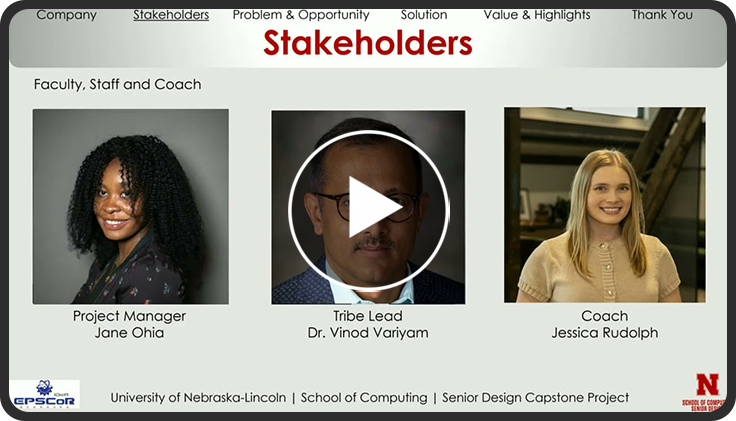
The Nebraska EPSCoR NSPIRE project is designed to expand research capacity statewide in response to a key need within Nebraska’s research system. Although many universities, community colleges and industry partners have valuable tools and services, many researchers across Nebraska don’t know they exist. To bridge this gap, the senior design team developed a statewide, accessible platform that enables users to locate research equipment and services in one place.
The team developed an Angular web application that serves as a centralized place for discovering research equipment and services across Nebraska. The platform includes an advanced search interface that allows users to filter results by location, organization, equipment or service type, and price, making it easy to compare available resources. Organizations can contribute new listings to the system, ensuring the site continues to grow and stay current. Sponsors are granted administrative privileges, allowing them to manage user accounts, review and approve contributions, and maintain the overall quality and accuracy of the platform.
The web application provides a powerful yet easyto-use platform to find research equipment and services across Nebraska. By centralizing access to research infrastructure and streamlining how users discover and compare resources, NSPIRE reduces barriers to collaboration and strengthens connections across institutions statewide. The platform lays the foundation for long-term growth by supporting shared visibility, equitable access, and sustainable management of research assets. As the system continues to expand, it has the potential to foster new partnerships, support innovation, and significantly enhance Nebraska’s overall research ecosystem.
Squad Team Members | |
| Cameron Carlson | Squad Lead and Product Manager |
| Noah Bearden | Development Manager |
| Lyndi Hraban | Developer |
| Kurt Kuhlman | Developer |
| Jacob Rieker | Developer |
| Maya Wilson | Developer |

Nebraska Public Media
Nebraska Public Media has embraced the future of broadcasting, becoming one of just nine NEXTGEN TV stations in the Omaha market area. This milestone is driven by the growing adoption of ATSC 3.0 broadcasting standards, ushering in a new era of interactive television. The cutting-edge RUN3TV framework provides a foundation for further development, enabling broadcasters to enhance their platforms with new features, applications, and personalized content for users. Harnessing this burgeoning technology will allow us to create a unique experience for all viewers, offering instant access to local and national PBS content at the click of a button.
To better understand viewer behavior and improve the interactive experience, we implemented Google Analytics and Google Tag Manager within the RUN3TV platform. These tools enable detailed tracking of user interactions across the application without requiring extensive changes to the core codebase. Through this integration, we monitor key engagement metrics such as channel views, game participation, continuous viewing sessions, and interactions with episode descriptions and program details. Events are captured through structured tags and triggers configured in Google Tag Manager and transmitted to Google Analytics for analysis. This data-driven approach provides insights into how viewers navigate and engage with the platform.
Our team developed an emergency alert system within the RUN3TV application that allows viewers to receive important public safety information directly on their television screens in real time. Emergency notifications such as severe weather warnings, evacuation notices, or other public safety messages can be delivered quickly and reliably through the RUN3TV platform. The alert system is designed to process Advanced Emergency Alert Table (AEAT) XML data, which is used in ATSC 3.0 broadcasting to transmit structured emergency information. The application parses the AEAT data and triggers a visual banner that appears on the screen to inform viewers of the emergency.
The team developed a Nebraska-themed matching card game designed for television interaction using a remote control. The game featured imagery inspired by Nebraska wildlife and landmarks and was integrated into the RUN3TV application as a sub-application, allowing users to navigate menus, select cards, and progress through gameplay using directional controls.
Squad Team Members | |
| Jacob Vaccaro | Squad Lead and Product Manager |
| Cameron Wood | Development Manager |
| Sara Aizudin | Developer |
| Anh Nguyen | Developer |
| Russell Pesek | Developer |
| Mireu Ryu | Developer |
Nebraska Trucking Association
The project began with a simple goal: creating an experience the Nebraska Trucking Association (NTA) could use to introduce students and event attendees to the environment of a diesel repair shop and the career opportunities within diesel technology. After an in-person visit to a working shop, the idea of a diesel mechanic skills challenge began to take shape.
Diesel Dash is a virtual reality career exploration experience developed by the Nebraska Trucking Association to serve as an introduction to diesel technology and heavy-duty truck maintenance in a fun and innovative way. Players will understand how the game works with a fully audible tutorial piece granted to them at the start, set inside a modern repair facility. The players will step into the role of a diesel technician as semi-trucks pull into the service bay with different mechanical issues. They are walked through three tasks: A faulty tire change, a repair on a coolant leak, and the replacement of a broken headlight. The repair tasks are simplified to make the experience accessible and easy to understand, while the trucks themselves are built with strong visual detail. Players can explore the engine compartment, examine key components, and look inside the cab. This provides a rare, up-close view of equipment most people do not encounter in everyday life.
The second phase will allow the players to utilize what they learned in the tutorial. This is the timed and skill challenge part of the Diesel Dash experience. Players connect to a diagnostic tool, identify the problem, and complete timed repair challenges before the next truck arrives. The players are tasked with completing as many repaired trucks as possible within the time limit, with a randomized pattern of issues from the three set tasks. This could include one issue on the truck or all three, and the score is affected by how many trucks and tasks the player can complete. A local leaderboard ties together the fun and competitive nature of the game as groups can go head-to-head with each other or against the developer scores of the game.
Throughout the development process, the team encountered and overcame several technical hurdles. The learning curve of new software, the implementation of winding connections through different scripts and plugins, the creation of visual effects such as particles and full animations, and the constant testing of requirements being met for gameplay. Through this, Diesel Dash was designed to be a novel idea to offer an engaging introduction to one of the most in-demand technical careers in the transportation industry.
Squad Team Members | |
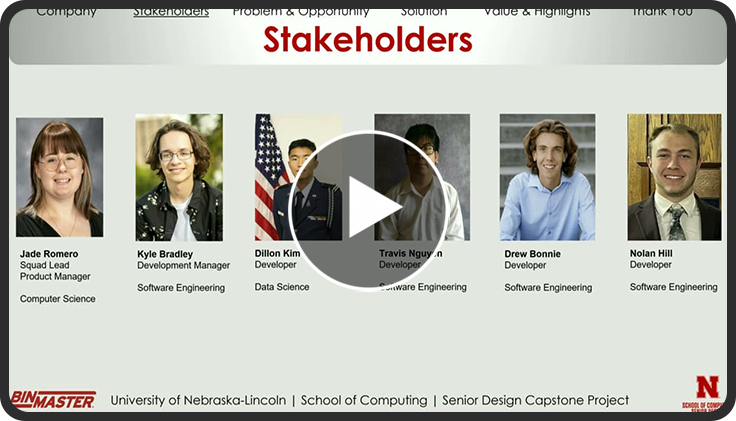
| Jade Romero | Squad Lead and Product Manager |
| Kyle Bradley | Development Lead |
| Drew Bonnie | Developer |
| Nolan Hill | Developer |
| Dillon Kim | Developer |
| Travis Nguyen | Developer |

Nelnet
Nelnet has experienced setbacks due to inefficient audit management processes that were time-consuming and labor-intensive. Audits were managed manually through emails and spreadsheets, which led to disorganized information and poor collaboration between teams. . This included processes such as audit intake, ingestion, task tracking, and progress monitoring.
Obserra is a centralized audit management platform designed to help organizations like Nelnet complete audits more efficiently. The goal of the platform is to replace the manual process of emails and spreadsheets with a structured environment where different roles in an audit can collaborate. Obserra supports coordinators, contributors, administrators, and auditors, allowing each role to participate in the audit lifecycle from audit intake and ingestion to task completion and review. The platform provides each role with its own dedicated dashboard to help users organize and manage their responsibilities independently. One of the main goals when designing Obserra was to incorporate artificial intelligence to simplify repetitive audit work. The platform includes AI features such as automatically parsing uploaded audit documents to extract tasks, automatically assigning tasks to contributors, and generating response suggestions based on previous answers. Obserra also includes a writing assistant that helps improve the grammar and tone of responses before they are submitted, helping contributors produce clearer and more professional answers. In addition to its AI capabilities, Obserra focuses on task organization and workflow visibility. Audit requests move through a Kanban-style workflow making it easy for coordinators and contributors to see the status of tasks and understand what work still needs to be completed. The platform also provides monitoring tools for both coordinators and auditors. Coordinators can view the overall progress of audits using visual dashboards that show how many tasks are in each stage of the workflow, while auditors can review individual audit progress and provide feedback on submitted responses.
Obserra addresses Nelnet’s audit management challenges by simplifying the work required to complete audits. By using AI to assist with smaller tasks and providing a centralized platform for audit management, the system improves organization, collaboration, and coordination between teams throughout the audit process.
Squad Team Members | |
| Leopoldo Hernandez | Squad Lead and Product Manager |
| Anas Mohammed | Development Manager |
| Keyik Annagulyyeva | Previous Squad lead and Product Manager |
| Yasir Almotawa | Developer |
| Katia Henrriquez | Developer |
| Colby Jochum | Developer |

TWIL Design Labs
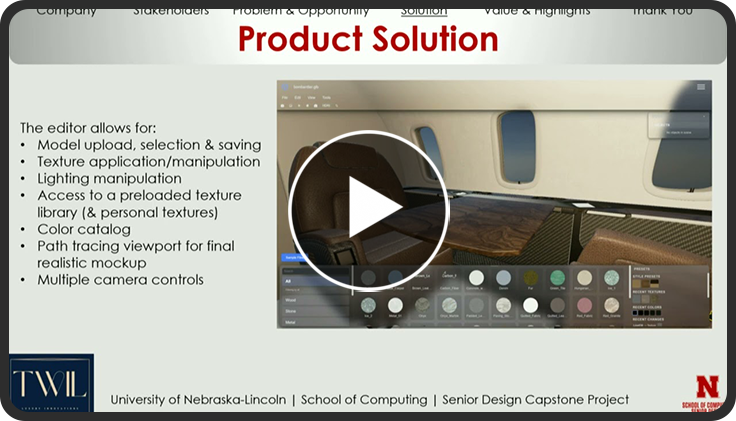
Our project focused on developing a web-based 3D configurator designed to display and interact with scanned models in a realistic and accessible way. The primary challenge was enabling scanned objects and environments to be viewed online with accurate textures and materials while still maintaining strong performance across standard web browsers. Existing workflows made it difficult to showcase scans effectively because textures often appeared distorted, models could not be easily edited in real time, and complex assets were difficult to manage within a browser environment.
To address these challenges, our team designed a system that allows users to upload and visualize 3D models with properly applied textures and realistic scaling. The application supports individual object editing, allowing designers to manipulate components of a model rather than replacing the entire asset. This improves flexibility when working with complex scans and makes it easier to present different design variations or materials. The platform was built using a React and Three.js frontend for interactive rendering, while AWS provides the cloud infrastructure needed to store and manage models and texture assets.
A major focus of the project was ensuring that textures display realistically across different surfaces. We implemented techniques that allow textures to scale and tile correctly based on model geometry, helping materials appear more accurate to their real-world counterparts. Additionally, the system was designed to remain compatible with standard web browsers and avoid requiring specialized hardware, ensuring that clients, designers, and stakeholders can easily access and view the models.
Overall, this project provides a more effective way to showcase scanned environments and objects through an interactive 3D experience. By improving texture realism, enabling editable model components, and building a scalable web-based platform, the system allows designers and clients to better visualize and evaluate scanned assets. This solution ultimately improves how digital scans can be presented, shared, and utilized within the design workflow.
Squad Team Members | |
| Cassidy Moore | Squad Lead and Product Manager |
| Trevor Johnson | Development Manager |
| Connor Blackburn | Developer |
| Jordyn Cheyney | Developer |
| Peyton Nelson | Developer |
| Brandon Rojop | Developer |

UNL Department of Agricultural Economics
At the beginning of the year, the team was tasked with creating an Experimental Online Retail Facility. Researchers often face challenges when studying consumer decision making in realistic environments. Traditional surveys and laboratory experiments often fail to capture the complexity of how people behave, making it difficult to gather detailed behavioral data. Our project addresses this challenge by developing a webbased platform that simulates a realistic supermarket environment for research experiments.
The platform allows researchers to easily create customizable study environments where participants can browse products and make purchasing decisions. Through an intuitive interface, researchers can configure experiment variables, product selections, and other conditions to match the needs of their studies. This flexibility allows researchers to conduct controlled experiments while maintaining a realistic shopping experience for participants.
As participants interact with the virtual supermarket, the system collects detailed data on their behavior, choices, and interactions throughout the experiment. These data points help researchers better understand how individuals make decisions and respond to different factors during the purchasing process. By capturing these interactions in a simulated environment, the platform provides valuable insights that would be difficult to observe in traditional studies.
Overall, this system provides researchers with a powerful tool to design experiments, collect meaningful behavioral data, and analyze consumer decision-making in more realistic settings. By combining a user-friendly interface, customizable experimental controls, and automated data collection, the platform supports more effective research and deeper insights into consumer behavior.
Squad Team Members | |
| Henry Renteria | Squad Lead and Development Manager |
| Michelle Espinosa | Product Manager |
| Cole Becker | Developer |
| Brady Lauritsen | Developer |
| Ruthie Teeters | Developer |
| Kyle Wydrinski | Developer |

UNL Department of Classics and Religious Studies
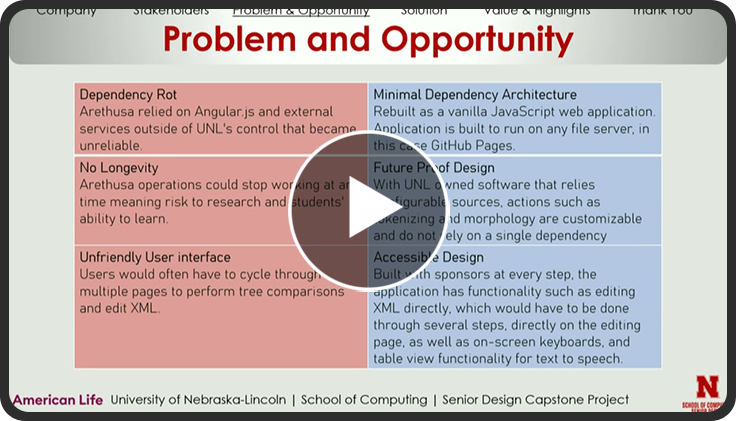
The Alpheios team was originally tasked with retooling a legacy browser extension known as Alpheios. Alpheios is a browser extension that aids in breaking down the morphology of words. We were informed that portion of the project was completed so we were assigned a new task. The new task was to modernize and redevelop the legacy tool of Arethusa. Arethusa is a treebanking tool that is used by students, professors, and researchers that allows them to annotate phrases from classical languages. This tool is heavily used by researchers worldwide and within the UNL Classics and Language department to teach and grade students.
We began by designing wireframes and mockups for the web app’s user interface. We used the legacy tool as a guide to keep the functionality consistent and familiar while also adding new functionalities. Collaborating with the sponsors often was essential to understanding the many unfamiliar functionalities of Arethusa. One of the main concerns of the sponsors was making the application as self-sustaining as possible. In response to this, we kept framework dependency usage to a minimum and used mostly Vanilla JavaScript for functionalities.
The user begins at the landing page. Within the landing page, they can either choose to upload a previously treebanked file or input text to create a new one. Following this selection, the user is taken to the treebanking page. The tree within the treebanking page was created using d3.js. Users can annotate words by changing their morphology, relation, and parts of speech. Users can also change a word’s parent node by clicking on said word, via the sentence or tree, and clicking on the desired parent word. The team added functionality for a user to implement their own microservice options, creating a more accessible and maintainable product. In addition, we incorporated in-place XML editing, enhancing efficiency and user experience.
Squad Team Members | |
| Grant Kerrigan | Squad Lead and Product manager |
| Sam Dubois | Development Manager |
| Amgad Ahmed | Developer |
| Alaa Ismail | Developer |
| Connor Raatz | Developer |

UNL Department of Special Education
Many Alternative Communication (AAC) systems allow users to communicate words but do not effectively convey emotional tone. The project aimed to address this limitation by incorporating Emotional AI Recognition (EAR) to detect a user’s emotional state and pair it with expressive voice output generated through the ElevenLabs voice synthesis system. The objective was to improve emotional clarity in communication while maintaining an interface that remained accessible to users with disabilities.
During analysis of the previous year’s implementation, several critical issues were identified. The team identified several key areas of improvement that would provide a more flexible AAC tool which would remove significant barriers for individuals with disabilities.
The team redesigned the application architecture and prioritized stability, modularity, and improved user experience. The training workflow was redesigned to be modular, allowing users to train emotions individually rather than completing all calibration steps at once. The number of detected emotions was reduced from eight to five—Surprise, Happy, Sad, Neutral, and Angry—to improve recognition accuracy and model performance. Additionally, the requirement for user accounts was removed, and the interface was restructured into a modular system consisting of Start, Main, Calibration, and Debug screens.
The final delivered solution implemented these improvements through a redesigned application structure. The Start Screen served as a navigation hub connecting all system features. The Main Screen managed the primary user interaction, displaying the camera feed, detected emotion icon, emotional intensity slider, and suggested vocabulary. When a user typed a message, the system recorded both the detected emotion and intensity level before generating expressive speech output using the voice synthesis model. The Calibration Screen provided tools for collecting and managing training data, including automatic photo capture, manual photo uploads, and dataset management options. Finally, the Debug Screen offered diagnostic tools and voice configuration settings, allowing adjustments to voice characteristics such as speaking speed and tone variation. Together, these improvements produced a more stable, accessible, and flexible AAC communication tool.
Squad Team Members | |
| Daleela Letyaeva | Squad Lead and Product Manager |
| Jason Irwin | Development Manager |
| Ethan Friedman | Developer |
| Riley Heimes | Developer |
| Brick Stine | Developer |
| Andy Truong | Developer |

UNL School of Natural Resources
Currently, landowners lack a centralized tool to gather information on which conservation methods would work best on their land. Instead, they must seek out information across multiple experts and interpret it with no clear way to visualize the results. The Immersive Conservation project aims to solve this issue by developing an application that models the landowner’s property and visualizes conservation practices using geospatial data. Development began from an open starting point with several possible directions. Requirements were gathered and a plan was created to develop the application using the Unity engine and external geospatial data providers.
Aside from a few minor challenges and learning experiences, development progressed smoothly, and a functional PC build of the application was showcased midway through the Fall 2025 semester. ArcGIS satellite imagery and elevation data were integrated early in development to provide a baseline visualization for landowners to see their property. Additional data layers, including soil data and overlays from the National Land Coverage Database (NLCD), were later added to improve the visualization capability of the application. By the end of the Fall 2025 semester, most of the foundational groundwork had been implemented and plans for the Spring 2026 semester were cemented.
Following winter break, development continued and efforts were focused on implementing the virtual reality functionality of the application. The same methods were used to maintain a consistent developmental pace. Features such as financial metrics and spawnable conservation methods were implemented midway through the semester. In early March, an advisory board was brought in to review the application and its current functionality. Feedback from this advisory board helped guide improvements and planning goals for future development. Additionally, the application was exhibited at a conference focused on conservation methods and agricultural practices. Using insights gathered from these two outreach opportunities, the team developed a longer-term plan to strengthen the application and improve its usefulness for landowners.
Squad Team Members | |
| Bodhi Mois | Squad Lead and Development Manager |
| Emily Smith | Product Manager |
| Jun Kim | Developer |
| Joseph Mueller | Developer |
| Gavin Swartz | Developer |
| Michael West | Developer |

UNL School of Computing—Bohn
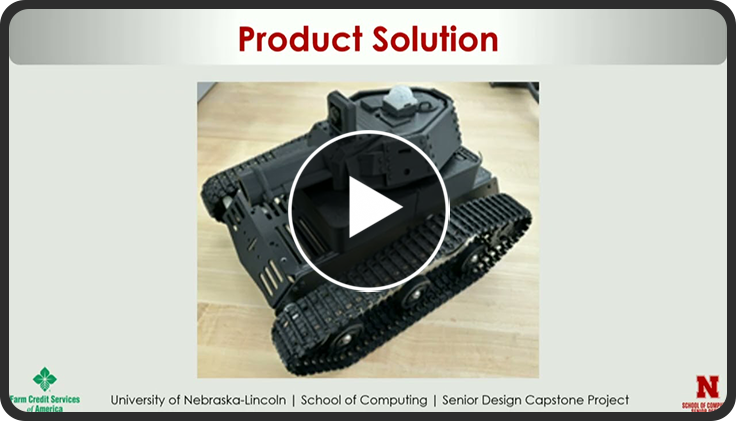
Our project was to continue an ongoing set of robot “tanks” that are controlled by mobile apps, and work with a backend running on UNL’s Nuros server. These are simple robots that can reasonably be built by everyday users. The team was given the goals of expanding the current implementation to allow for two players, iOS deployment, redesigning a new PCB (printed circuit board), and updating the build and documentation.
One of the general quality-of-life challenges for this project was the old turret prints. They could not be assembled comfortably, because the turret could only be attached by putting a screwdriver through the narrow gaps in the chassis. The team designed a new base that can split into two parts and connect together around the servo. This lets the user attach the servo to the chassis, then place the base around the servo, and finally attach the turret head to the servo using a newly designed hole in the top of the turret head. The new base also includes a groove to allow the turret head to turn easier and prevent the turret from sliding while in use. The team also created an IR base to attach the IR dome to the robot using magnets. With the new IR base, the IR dome would be held on by magnets which prevented the IR receiver from knocking it off. All the 3D prints helped the team create an easier way to assemble the robots for the users.
The team migrated to a new infrastructure to allow for an iOS app. The team opted to use Expo to develop an app with a React Native framework, allowing us to build both iOS and Android systems. This approach allowed the team to start from scratch in the new iOS app, and port it to the existing Android app, to ensure both systems are as close to each other as possible. The team also implemented two-player gameplay, splitting the robots’ controls into two sets for each player.
When the team initially received the project, they were quick to discover that they were missing a PCB schematic. This meant that the team had no way to reorder a board if it broke and had no clear way to tell where pins were attached. The team had to develop a new board and work to ensure that it was still able to implement the same features as the board they currently had. To develop the new PCB board, they used KiCad which allowed them to create and test the board to ensure that it works as desired. Once the team received the boards, they soldered components onto the board and tested to make sure it worked before installing them onto the tanks.
Squad Team Members | |
| Ben Fritz | Squad Lead and Product Manager |
| Gauge Hasbrouck | Development Manager |
| Kane Maly | Developer |
| John Mclean | Developer |
| Avery Monson | Developer |
| Treggie Sebe | Developer |
UNL School of Computing—Cui
Obesity and related metabolic conditions continue to present significant public health challenges, yet consistent self-monitoring of diet and activity remains difficult for many individuals. The Systems Biology and Biomedical Informatics (SBBI) Lab at the University of Nebraska-Lincoln sought to expand a previously developed food tracking model into a more comprehensive system that could automatically collect and analyze multiple forms of health data. The goal was to reduce the burden of manual tracking while creating a research-ready platform capable of identifying meaningful behavioral patterns over time.
To address this need, the team developed Smart Health Assistant, a cross-platform mobile application built with Flutter for both iOS and Android. The application automatically collects health data such as physical activity, heart rate, sleep, screen time, and location through mobile health platforms and connected wearable devices. In addition, the system uses artificial intelligence to analyze meal images and text descriptions to estimate nutritional values, including macro and micronutrients. By combining automated data retrieval with AI-driven nutrition analysis, the app captures a more complete picture of daily health behaviors.
The collected data is securely stored locally and within a cloud-hosted AWS database, where it is processed through a feature-extraction pipeline. This pipeline transforms raw, multi-modal data into structured summaries that highlight trends across daily and weekly periods. The system also incorporates personal health information, such as height, family history, and other background factors, to support more meaningful pattern recognition and personalized feedback.
The final product delivers straightforward dashboards, historical summaries, and personalized notifications designed to help users better understand their health habits. At the same time, the structured data generated by the system supports the SBBI Lab’s research efforts in obesity and metabolic health modeling. By automating data collection and applying artificial intelligence to nutrition analysis and behavior trend detection, Smart Health Assistant provides both individuals and researchers with a powerful tool for advancing personalized health monitoring.
Squad Team Members | |
| Jacob Walter | Squad Lead and Product Manager |
| Zoe Kerchal | Development Manager |
| Owen Addison | Developer |
| James Cover | Developer |
| Aiden Makovicka | Developer |
| Braiden Larson | Developer |
UNL School Of Computing - Cui-Wang
Municipal bond investors and analysts face a significant challenge when evaluating unrated bonds—approximately 60% of the U.S. municipal bond market. Critical financial and legal information is buried within lengthy, complex PDF documents called Official Statements, which vary widely in format and structure. Currently, analysts must manually read through hundreds of pages to extract key data points like maturity dates, principal amounts, coupon rates, and CUSIPs—a process that is time-consuming, errorprone, and limits market transparency for smaller issuers and investors.
The team developed MuniLens, a web-based platform hosted on AWS EC2 using the Django framework. The application allows users to upload bond PDFs, which are stored in Amazon S3. When a user clicks "Analyze," the system retrieves the PDF and invokes the Llama 3.2 model via AWS Bedrock to automatically extract structured bond data. The extracted information is saved in a PostgreSQL database and presented to the user through an intuitive interface featuring a formatted bond table and raw JSON output for verification. Additional features include user authentication, MultiFactor Authentication (MFA) via email verification, and data export to CSV/Excel for further analysis.
The team followed agile development practices throughout the project, organizing work into sprints aligned with the university's grading periods and using Zenhub for story mapping. We held weekly meetings with our sponsors, Professors Liying Wang and Juan Cui, to demonstrate progress, gather feedback, and refine requirements. Key challenges included handling inconsistent PDF formats that affected AI extraction accuracy, optimizing API calls to AWS Bedrock to manage costs, and ensuring smooth integration between S3 storage, the AI model, and the database. We mitigated these through iterative testing, comparative model analysis, and close collaboration with our technical reviewers.
MuniLens successfully transforms a manual, hours-long document review process into an automated workflow that delivers results in minutes. The platform empowers municipal analysts, investors, and researchers to quickly access and analyze bond data that was previously difficult to obtain. By providing a foundation for future AI-powered credit rating predictions, MuniLens has the potential to bring greater transparency, efficiency, and fairness to the municipal bond market—benefiting both communities seeking funding and investors seeking opportunity.
Squad Team Members | |
| Roy Truong | Squad Lead and Product Manager |
| Brian Onyango | Development Manager |
| Gage Cammack | Developer |
| Kyle Nguyen | Developer |
| Estefany Puc Nieto | Developer |
| Khoa Tran | Developer |
UNL School Of Computing - Falkinburg
Career Explore XR is an extended reality application designed to introduce students to careers in the skilled trades. While educational simulations exist, very few allow users to explore these hands-on careers in an interactive way. The goal was to create an engaging XR experience that allows users to learn about different skilled trade professions, while completing realistic activities that demonstrate the work involved in those career paths.
The application places users in a virtual classroom hub environment. From this hub, users can enter interactive activity scenes, each representing a different career. Within each activity scene, users complete tasks that simulate real-world job duties, such as assembling a structure or performing technical work. By completing these activities, users gain insight into the practical skills used by professionals in these trade fields, and how those skills apply to real scenarios. Along with the activity, users are provided with important and useful information about the responsibilities, skills, career path, and statistics for every profession.
Career Explore XR was developed using the Unity game engine, which provides built-in support for extended reality platforms, including virtual reality through the Meta XR development kit. The team created many of the 3D environments and assets using Blender, while integrating additional models as tools needed to support the simulations. Though the main focus was on creating a VR app on Meta Quest 3, the Career Explore XR experience is also available on other platforms, including mobile devices and as a web app accessible through the project’s website (www.careerexplorexr.com). The team implemented interactive systems through custom scripts and activity logic that guide users through each experience and provide visual and audio feedback as they complete tasks. Throughout the year, the team worked to refine these systems to ensure the activities were both engaging and educational.
Career Explore XR provides a hands-on learning experience that helps students better understand skilled trade professions and encourages them to consider career paths they may not have previously explored. By combining immersive environments with interactive activities, the project highlights the potential of XR technology as a powerful educational tool.
Squad Team Members | |
| Sean Casey | Squad Lead and Product Manager |
| Burke Groenjes | Development Manager |
| Will Bernal | Developer |
| Noah Russell | Developer |
| Colman Scharf | Developer |
| Tyson Veik | Developer |
UNL School Of Computing - Falkinburg
Husker Stem VR is an outreach program used by the College of Engineering, allowing prospective students to interact with VR minigames representing each of the engineering majors provided at the university. Proposed by Falkinburg in 2021, the project started as a VR only experience until other teams ported it to IOS and Android.
Husker Stem VR 3.0 is the third iteration of the Husker Stem project, primarily tasked with updating the project to utilize the newest version of Unity, allowing Husker Stem VR to be installed and ran on the newest devices including Meta Quest, IOS, and Android. Existing minigames were also updated with bugfixes, enhanced features, and updated graphics.
The main enhancement to the program was the addition of Kiewit Hall. The addition features a fully detailed model of the building, a guided tour, and space for future minigames. The player starts at Memorial Stadium where they are given information on the majors, clubs, and organizations in the college of engineering. Now to the right of the entrance, the player can travel to Kiewit Hall where they can explore the building. This newest version also features hand tracking in VR taking advantage of the Quest 3’s new capabilities.
Squad Team Members | |
| Griffin Schroeder | Squad Lead and Product Manager |
| Owen Robb | Development Manager |
| Koen Dietrich | Developer |
| Owen Kreikemeier | Developer |
| Preston Smith | Developer |
| Tyrese Walker | Developer |
UNL School Of Computing - Guo
Traditional video conferencing relies on flat, twodimensional visuals that lack the spatial presence and immersion of face-to-face interaction. The Holographic-Type Video Conferencing project, sponsored by Dr. Hongzhi Guo, challenged the team to develop a real-time 3D telepresence system capable of capturing, reconstructing, and displaying a live holographic representation of a person. The goal was to bridge the gap between conventional video calls and true spatial communication using commercially available hardware.
The team designed and built a multi-camera capture pipeline using Intel RealSense D435 depth cameras to simultaneously record color and depth data from multiple angles. A Python-based calibration system was developed to spatially align the cameras using feature-based registration (RANSAC) followed by Iterative Closest Point (ICP) refinement, producing transformation matrices that map each camera's coordinate frame into a unified 3D space. This calibration data was exported as a JSON file and loaded at runtime by a custom Unity component, enabling seamless multi-view point cloud fusion without manual alignment.
On the rendering side, the team built the real-time visualization in Unity, targeting the Microsoft HoloLens 2 mixed reality headset. Each camera's depth and color streams were processed into point clouds of over 300,000 vertices per frame, rendered at 30 frames per second using custom geometry shaders optimized for single-pass stereo XR rendering. An intelligent person isolation algorithm was implemented to automatically detect the subject's depth and remove background clutter, ensuring that only the person appeared as a hologram in the viewer's space. The system leveraged the Mixed Reality Toolkit (MRTK) and OpenXR for HoloLens 2 integration.
The resulting system demonstrated a functional endto-end holographic communication pipeline: from multi-camera capture and spatial calibration, through real-time point cloud fusion and GPU-accelerated rendering, to immersive mixed reality display on the HoloLens 2. The project produced comprehensive technical and user documentation to support future development and handoff. The team successfully showed that accessible, real-time holographic telepresence is achievable using off-the-shelf depth cameras and modern mixed reality platforms.
Squad Team Members | |
| Priyankka Nanrudaiyan | Squad Lead and Product Manager |
| Grant Mielak | Development Manager |
| Elijah Ashbrook | Developer |
| Leo Linquet | Developer |
| Trust Wells | Developer |
UNL School Of Computing - Ramamurthy-McChargue
Career Explore XR is an extended reality application designed to introduce students to careers in the skilled trades. While educational simulations exist, very few allow users to explore these hands-on careers in an interactive way. The goal was to create an engaging XR experience that allows users to learn about different skilled trade professions, while completing realistic activities that demonstrate the work involved in those career paths.
The application places users in a virtual classroom hub environment. From this hub, users can enter interactive activity scenes, each representing a different career. Within each activity scene, users complete tasks that simulate real-world job duties, such as assembling a structure or performing technical work. By completing these activities, users gain insight into the practical skills used by professionals in these trade fields, and how those skills apply to real scenarios. Along with the activity, users are provided with important and useful information about the responsibilities, skills, career path, and statistics for every profession.
Career Explore XR was developed using the Unity game engine, which provides built-in support for extended reality platforms, including virtual reality through the Meta XR development kit. The team created many of the 3D environments and assets using Blender, while integrating additional models as tools needed to support the simulations. Though the main focus was on creating a VR app on Meta Quest 3, the Career Explore XR experience is also available on other platforms, including mobile devices and as a web app accessible through the project’s website (www.careerexplorexr.com). The team implemented interactive systems through custom scripts and activity logic that guide users through each experience and provide visual and audio feedback as they complete tasks. Throughout the year, the team worked to refine these systems to ensure the activities were both engaging and educational.
Career Explore XR provides a hands-on learning experience that helps students better understand skilled trade professions and encourages them to consider career paths they may not have previously explored. By combining immersive environments with interactive activities, the project highlights the potential of XR technology as a powerful educational tool.
| Squad Team Members | |
| James Lynch | Development Manager |
| Charlie McIver | Product Manager |
| Andrew Duweling | Developer |
| Bo Kepler | Developer |
| Tyler Roelfs | Developer |
| Nathan Siy | Developer |
UNL School Of Computing - Samal
There exists a gap in legal services: some areas see minimal available legal assistance, and several legal forms seem obtuse and inaccessible. To combat this, the School of Computing - Samal Collaboratory team has produced Legal-Ease, an application intended to bridge that gap by assisting users in clearly and accessibly understanding available legal resources in Nebraska. Nebraska contains several underserved areas, or legal deserts, that have fewer than one attorney per thousand people present in a county. A family law-focused AI chatbot capable of assisting a user with filling out their forms alongside a mapping service that clearly indicates the locations and density of legal resources in users’ areas was created. The application was also designed for users to be able to opt-in to a series of demographic questions to further assist researchers in reaching underserved communities.
The team began this project through an initial focus on user login, privacy, and general functionality. The mapping display uses ArcGIS to provide users with an overview of legal resource density in Nebraska, highlighting underserved legal deserts alongside local resources, such as libraries and courthouses. The team designed a scalable schema that could easily ingest new forms to handle the constantly evolving legal corpus. The team developed a visual Large Language Model form-reader capable of taking in newer forms and accurately reporting to the user the fillable fields. To maximize chatbot response accuracy, the system employs a Retrieval-Augmented Generation (RAG) pipeline. A cross-encoder is integrated to re-rank retrieved documents, ensuring the LLM receives only the most relevant legal context from the repository to generate accurate, guided responses.
Legal-Ease is able to guide a user through family law questions and properly direct them to available resources, helping to bridge a vital legal services gap by supporting underserved communities with an accessible and helpful application. It holds natural conversations with users going through the stress of legal processes, and it strives to alleviate their concerns through cutting-edge implementations of modern artificial intelligence.
| Squad Team Members | |
| Olivia Muenster | Multi-Team Lead |
| Garrett Splinter | Mapping Team Lead and Product Manager |
| Matthew Parker | Mapping Team Development Manager |
| Thomas Waller | Chatbot Team Lead and Development Manager |
| Dennis Bui | Developer |
| Jonatan Guzman | Developer |
| Akemi Martinez | Developer |
| Ally Muellner | Developer |
| Michael Nemov | Developer |
| Hugh Strumberger | Developer |
UNL School Of Computing - Sharif-Hughes
The Cochlear Implant Research Lab Mobile Audio Test is a web-based hearing screening application developed for the University of Nebraska-Lincoln's Cochlear Implant Research Lab (CIRL). The application is designed to allow community health workers (CHWs), who are individuals with no specialized audiology training, to administer standardized hearing tests using only a smartphone or tablet paired with a set of headphones. Hearing loss affects nearly 30 million adults in the U.S., yet the majority go undiagnosed or untreated, particularly in rural and underserved communities. This project aims to bridge that gap by putting an easy-to-use diagnostic tool directly into the hands of community-based healthcare providers.
The testing procedure begins with a questionnaire, followed by either a screening test or a diagnostic test. The screening test measures pass/fail at a fixed dB level across frequencies (1,000 Hz, 2,000 Hz, 4,000 Hz, and 6,000 Hz) in both ears. The diagnostic test measures hearing thresholds across five frequencies (500 Hz, 1,000 Hz, 2,000 Hz, 4,000 Hz, and 8,000 Hz) in both ears. Both tests are designed to run without requiring any expertise from the tester. Upon completion of a test, the application generates and displays a plotted audiogram summarizing the patient's results alongside a pass/refer recommendation.
Prompts allow testers to correctly configure their device volume and headphone setup prior to testing. At the end of the test, a referral system of nearby healthcare providers is presented. With required operation in regions where internet access may be unavailable or spotty, the app allows for offline functionality when performing the test and providing an option to upload recorded data later.
The team then built out data query functionality, enabling both administrators and testers to retrieve screening outcomes, referral rates, and patient followup, providing the research team with the data needed to evaluate the real-world impact of CHW-assisted hearing loss identification. Alongside this, the team added follow-up information tracking to the application, allowing testers to mark off whether a patient sought follow-up after a referral.
| Squad Team Members | |
| Colin Salem | Multi-Team Squad Lead |
| Ada Aljabiri | Product Manager |
| Adam Furniss | Development Manager |
| Mauricio Aguilera-Ortiz | Developer |
| Jina Bagheri | Develolper |
| Patrick Gurney | Developer |
| Nathan Huynh | Developer |
| Eleanor Krause | Developer |
| Walker Lee | Developer |
| Victor Nguyen | Developer |
| Matthew Wang | Developer |
UNL School Of Computing - Vuran
There were several challenges with this project, processing antenna data, deciding on this data, equipment limitations, project workflow and integration, accurate gimbal movements, and maintaining a datalink. These were all high-level challenges that this project had come across with a lot of smaller problems inside of these.
Since our project needed to maintain a directional datalink between a drone and base-station, there were a lot of different parts (electrical, computing, and mechanical) of this project that contributed to this. Our solution uses a digitally steerable antenna as the base-station antenna, Sivers 60GHz antenna with a USRP for DSP, this data gets used to target the drone digitally via beam-steering while physically moving a gimbal to keep the drone withing the digitally steerable range.
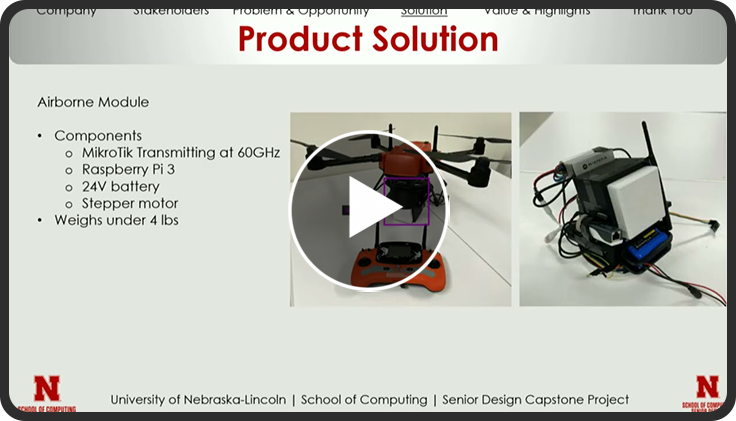
The drone’s transmitter, a MikroTik Cube Pro, is also directional so it also must “look” at the base-station. Because the MikroTik and Sivers are not compatible to transmit actual data, the Sivers can only sense the MikroTik, the team decided to focus on just the targeting of the drone. Working around no data transfer was one of the bigger problems the team encountered. To orient the MikroTik in the correct direction inertial methods are used (IMU and optical flow sensor) in combination with a calibration process so the airborne computer knows where the base station is located directionally and can adjust the airborne gimbal accordingly.
The system also comes with an out of band link: over another band telemetry and other important information is transmitted to the user. The whole system is designed to be an attachment to a drone so that this separate system can provide user with a data link that can handle high bitrates. The whole system will constantly make adjusts physically or digitally to maintain a strong enough signal for data transfer in the future.
| Squad Team Members | |
| Carter Fogle | Squad Lead and Product Manager |
| Preston Ward | Development Manager |
| Maxwell Pembo | Developer |
| Zhen Keat Chua | Developer |
| Brett Johnson | Developer |
| Andrew Timmons | Developer |
UNL School Of Computing - Weitzel
The National Research Platform (NRP) has a computing cluster, named Nautilus, which allows users to submit and run computationally intensive jobs. This project aims to connect existing web interfaces, specifically Open OnDemand, to this cluster. This gives easy access to these computing resources, even if the user does not have a technical background. This project implements a pipeline that enables both interactive computing sessions through JupyterLab and automated batch processing workflows, demonstrated using an AlphaFold job. A user would then simply fill out the form on the Open OnDemand website, and the desired tool will run automatically on the NRP cluster.
To solve this problem with JupyterLab, the team had to find an image of JupyterLab that would allow it to run on the Nautilus cluster. The pipeline would have to send the image to Nautilus through the Open OnDemand pipeline for it to run on the cluster. In order to create this instance of JupyterLab, the team had to generate a token along with the instance, which was then passed into the JupyterLab session that allowed it to be a personal instance of JupyterLab running on the Nautilus cluster available for researchers to use, even if they don’t have any technical knowledge.
For AlphaFold, the team utilized Open OnDemand’s web UI to allow users to upload their protein sequence and AlphaFold3 model weights through simple form fields. The job is then placed into a local HTCondor queue, while an automated monitor script constantly watches this queue. When a new job appears, HTCondor starts up a container within a pod on NRP’s Nautilus. This container is pre-loaded with AlphaFold software, and all the heavy AI calculations take place inside this pod. Once the protein is fully folded, HTCondor transfers all the final 3D models back to the user’s session folder for a simple, one-click download.
| Squad Team Members | |
| Ethan Olson | Squad Lead and Product Manager |
| AJ Masek | Development Manager |
| Ryan Bussom | Developer |
| Ilarion Danilchenko | Developer |
| Morenzo Minarwidjaja | Developer |
| Matthew Schmidt | Developer |
UNL School Of Computing - Yao
Dr. Qiuming Yao’s Integrated Digital Omics Lab (IDOL) at UNL develops scalable algorithms and machine learning models to analyze complex biological systems. The lab’s research includes microbiome diversity, genetic mutations, molecular diversity and statistical machine learning, which have given tools like Motif Raptor and the P3DB protein database.
The project began with progress from last year. A system that takes data points and visualizes them in a virtual reality space. The problem it was fixing was showcasing protein data in a 3D space for use in a classroom setting. Last year they had made the project that places the data points in space for a singleplayer web app experience. It was capable of running in a VR headset. The goal of the project for this year was to create a better, more capable app that could incorporate a leadermode, more data types, and hand tracking with custom functionality for gestures.
Initially we began by getting acquainted with the Apple Vision Pro AR and VR headset. We got the app running locally and tested on a production server. The project uses a framework called A frame, which is a vr and 3D tool for webapps. It took us some time to figure out the new framework and its features. The first feature we implemented was fixing the website menus resizing and scaling issues. We created a leadermode feature and multiplayer system where a single host can open a lobby and students can join with a code. This networking is hosted on an AWS server. We also implemented hand gestures and tracking with the Apple Vision Pro headset using different hand gestures to move and toggle other features in the app. Simultaneously we also worked on a dynamic data loading feature to increase the apps performance as well as instance meshing to coalesce the meshes of the data points to increase performance at large data scales. This feature led us into big data mode to use specifically when using large datasets.
Ultimately our application provides a more stable and better optimized version. The final version we delivered tackles the problem of showcasing visualizing data points in a multiplayer space that is accessible across multiple mediums that being browser availability and VR access. It works to show protein data to students in an efficient and accessible way.
| Squad Team Members | |
| Jack Gude | Squad Lead and Product Manager |
| Parker Peterson | Development Manager |
| Jack Fruhling | Developer |
| Krishnaraj Ganesan | Developer |
| Sky Mavis Gann | Developer |
| Brandon Muff | Developer |
Valmont
Maintaining irrigation equipment is essential, but many growers do not have a simple digital way to consistently track routine maintenance events. Valmont Industries produces pivot irrigation systems that are long-term, high-value investments expected to operate for decades. Maintenance for this equipment has often been tracked manually or through dealership support, which can lead to missed service events, inconsistent documentation, and reduced equipment performance. Our team was challenged to design a practical, easy to use solution that helps growers manage maintenance directly within Valmont’s existing digital platform.
To address this need, the team designed and implemented the Irrigation Maintenance feature as a dedicated widget within AgSense 365, Valmont’s web and mobile platform for irrigation management. The system uses a machine’s run hours as the foundation for maintenance scheduling. Growers can create one time or recurring maintenance events, view manufacturer recommended maintenance events, schedule and edit upcoming tasks, and configure notifications for upcoming events. When a maintenance event reaches its scheduled time, the system sends a notification to the scheduler, and allows the user to mark their event as complete.
The widget also includes maintenance history tracking. Growers can view past events, see recorded machine hours and completion dates, and add notes to their events for documentation. This creates a centralized and organized record of service activity for each machine. The system was built across web, iOS, and Android platforms using Angular, .NET, MySQL, Swift, and Kotlin, ensuring a consistent experience on all devices.
By the end of the project, we delivered a fully functional maintenance tracking system that reduces manual recordkeeping and improves visibility into equipment upkeep. The solution not only simplifies day-to-day maintenance management but also establishes a long term data foundation for future service and management features within AgSense 365.
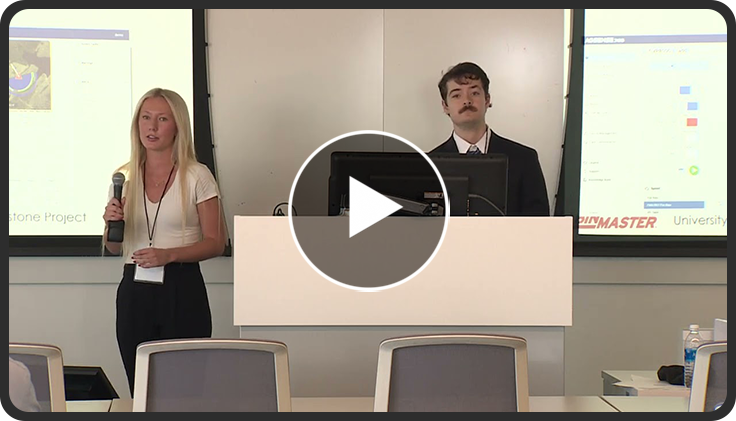
| Squad Team Members | |
| Eric Andersen | Squad Lead and Development Manager |
| Reva Long | Product Manager |
| Grant Henderson | Engineer |
| Sakshi Pande | Engineer |
| Zephyr Rose | Engineer |
| Trang Tran | Engineer |